 UK: 0844 854 9218 | International: +44 (0)1488 580017

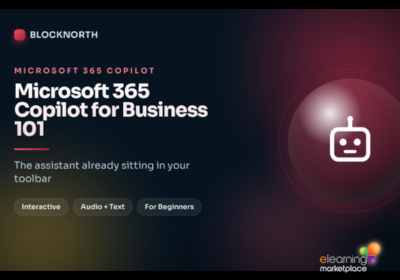
Description
This course is aimed at all staff and managers in organisations affected by this law. No legal or technical background required. It is for anyone in any role with a Microsoft 365 Copilot licence, or about to get one.
What topics are covered in this Microsoft 365 Copilot Online Course?
Unit 1: Meet Microsoft 365 Copilot
- What Copilot is, and the difference between free Copilot Chat and the licensed version
- Where Copilot appears: Word, Excel, PowerPoint, Outlook and Teams
- How Copilot draws on your own work data, and what it can and cannot see
- Why so many licensed users are not using it yet, and what that means for you
Unit 2: Copilot Across Your Working Day
- Concrete uses in Word, Excel and PowerPoint
- Concrete uses in Outlook and Teams, including meeting recaps
- Using Copilot Chat to pull together information across several apps
- A day in the life, and where the real time savings come from
Unit 3: Prompting Copilot Well
- The anatomy of a strong prompt: goal, context, source and format
- Refining a result instead of starting again
- Prompting in Excel and in Teams meetings specifically
- What agents are, at a high level, and building a simple one yourself
Unit 4: Safe, Responsible and Adopted
- Data security, confidentiality and sensible caution
- Verifying output, and what “hallucination” means in practice
- When not to use Copilot, and who stays accountable
- Building the habit personally and across your team
Learning objectives
Upon completion, learners will gain a full and clear understanding of:
- What Microsoft 365 Copilot is, and where it appears across Word, Excel, PowerPoint, Outlook and Teams
- Practical, everyday uses of Copilot in your own role
- How to write clear, effective prompts, and refine them when the first result is not quite right
- What agents are, at a high level, and when one might help
- How to use Copilot safely, verify its output, and know when not to rely on it
- How to build the habit of using Copilot well, for yourself and your team
Entry requirements
There are no entry requirements.
Course assessment and certification
On successful completion of the final assessment a downloadable certificate is immediately available.